
Safran morpho mso 1300 e2 driver can be used for various purposes including obtaining a digital signature, Aadhaar-based sim card activation, fingerprint scanning, eKYC verification, etc. This portable fingerprint scanner can also capture and store biometric data for easy verification so if you want to know the morpho 1300 e3 driver download 64 bit method, keep reading!
This article has everything that you should know about this device including its features and how you can easily download its free version. Furthermore, the registration process is very easy, you can register your morpho device using the link for activation code product idemia, which is owned by Safran Morpho. Don’t forget to obtain the necessary drivers and configuration information by contacting technical support.
What is Safran morpho mso 1300 e2 driver?
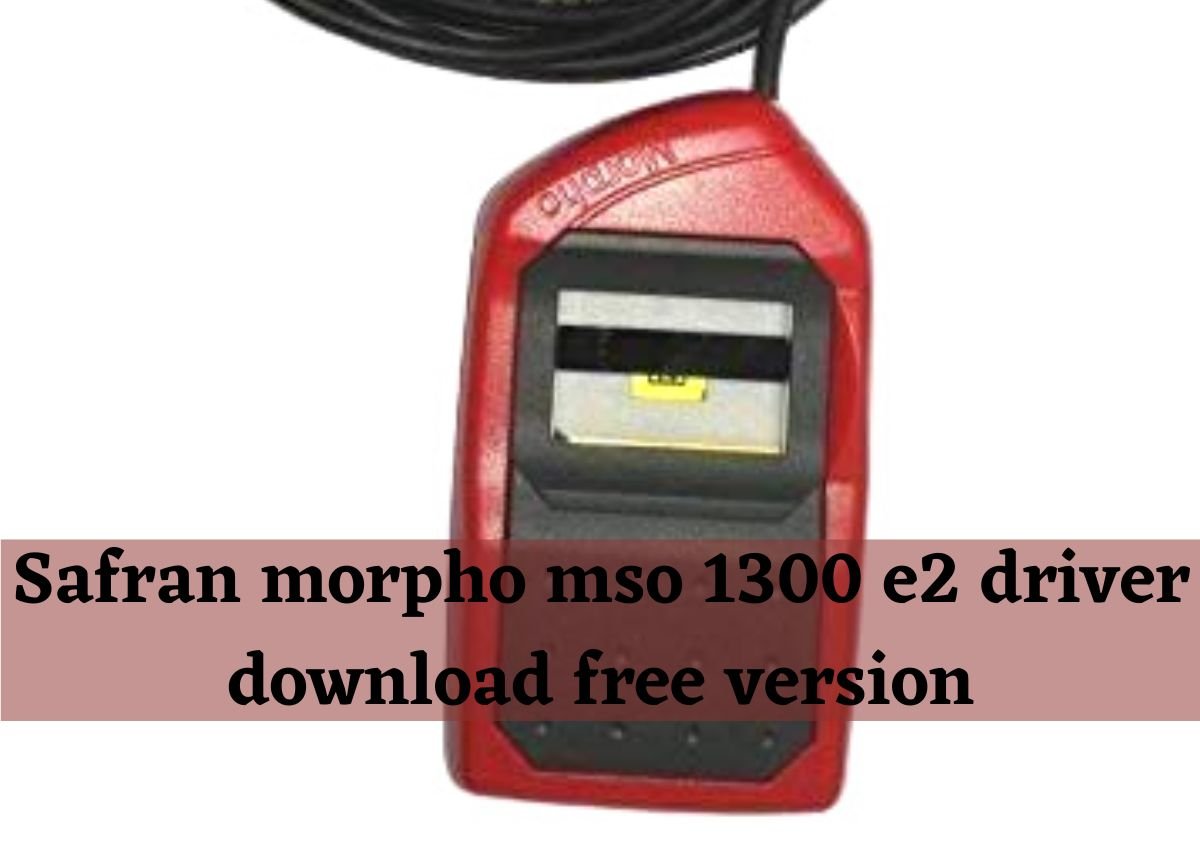
Basically, Safran Morpho MSO 1302 is a biometric device and portable fingerprint scanner which efficiently captures digital fingerprints and signatures. It can be used for various purposes including biometric verification, identification, and enrollment. It is available in red and black, and in addition to encryption, it can efficiently detect fake fingerprints.
The Morpho 1300 series is a trustworthy, ergonomic, and cost-effective device weighing only 200 grams and measuring 11.6 x 10.6 x 3.6 cm so you can easily take it with you anywhere you want. You can easily connect it to your computer or laptop with the cable that comes along with it. It can also be customized to meet the needs of the user.
How to download the Safran morpho mso 1300 e2 driver for free?
You can download the Safran morpho mso 1300 e2 driver easily on your computer or if you want to use it on Android Mobile then you must install its Android Application. Have a look at the method of how you can download it on your PC:
- First, open your browser and download morpho mso 1300 e2 driver by clicking on this link: https://cdn.shopify.com/s/files/1/2363/5731/files/Windows_RD_Service_V2.0.1.42_HTTP.zip?v=1593076384.
- After downloading, extract the files and open your USB Driver Folder to find the setup.exe file.
- Now run it as Admin but do not plug the device into the PC.
- After the installation gets complete, now go to the RD Service Folder.
- Select Setup and Run as Admin. Wait for it to be completed and then restart your computer.
- If you are using Windows 8 or 10 then you should go to C:\MorphoRdServiceL0Soft Path and Copy Path.
- After that, open the start menu and look for Edit System Environment Variable.
- Click on it and then click on the Edit button after finding the “Find Here PATH” option.
- Now you must type “PATH” in the path name and paste it into the variable value.
- After doing all the above steps, restart your computer and then plug your device, making sure that your internet is connected.
- Once you receive the notification of USB device installation and then the RD Service Registration notification, you are all set to proceed further.
What are the uses of the Safran morpho mso 1300 e2 driver?
Now that you know about the morpho 1300 e3 driver download 64 bit method, have a look at how you can utilize this device:
- You can use it in making an Aadhar card if you are an Indian.
- For Biometric Attendance.
- For logging in to a system with high security such as in banks.
- If you are getting a new SIM card, you can use the Safran morpho mso 1300 e2 driver for biometric Identity verification.
- You can also use it while transaction of money from Kiosk and doing eKYC.
Read also: Raavi Punjabi font download free version
Manufacturer of Safran morpho mso 1300 e2 driver?
A.V. Techno Soft India (P) Ltd. Is the manufacturer of Safran morpho mso 1300 e2 driver and it was established in 2012. This company is the leading Service Provider, Manufacturer, Supplier, Retailer, and Trader of Bio-Metric Attendance Systems. The services it is providing for more than 10 years include:
- Trunstile.
- Web Based Payroll and HRMS Solution.
- Boom Barrier.
- Flap Barrier.
- CCTV Camera.
- Video Door Phone.
- Access Control Accessories.
- Software Support Service.
- Time Attendance Software.
- Door Controller.
This range of services is created by utilizing premium quality parts obtained from reputable industry vendors, which are highly regarded by clients for their enhanced durability, fine finish, robust design, and trustable performance. Furthermore, the clients can obtain these products at the most affordable prices.
Safran morpho mso 1300 e2 driver is also an excellent and cost-effective product, and the company’s performance-oriented personnel are guaranteed to provide timely and to-the-point support to customers. In short, this is one of the best service providers and traders in the Attendance and Security systems industry. The following are the company’s fundamentals:
- Establishment year: 2012.
- Number of Employees: 26 to 50 People.
- Business Nature: Service Provider.
- Annual Turnover: Rs. 25 – 50 crore.
- IndiaMART Member Since: October 2012.
- GST: 07AAKCA8283E1ZH.
- Legal Status: Limited Company (Ltd./Pvt.Ltd).
- Exports to: Bhutan
- Import Export Code (IEC): AAKCA*****
Wrapping Up:
Safran morpho mso 1300 e2 driver is a cost-effective biometric device that offers reliability and ease of use at the same time. This device has gained a lot of popularity as a result of its incredible features, and it has received a significant amount of praise from its customers.
There are some important things that you should keep in mind if you want to download the free version of the e2/e3 driver that we shared above. We hope that you liked reading this article and found it useful.
Frequently Asked Questions (FAQs):
What is Safran morpho mso 1300 e2 driver?
It is a portable biometric device that comes in red and black colors, its software is available to download for free.
Why my Safran morpho mso 1300 e2 driver is not working?
If you are having a problem running it on your PC, make sure that your internet is properly working and remove any dust from your device.
Read more interesting articles at ebusiness Tycoon